Shopify inventory management that covers counts, reorders and purchase orders
Count with the phone in your pocket or a USB scanner, and Shopify updates itself the moment you approve the count. Low stock alerts, reorder suggestions, purchase orders with receiving by scan, and the real cost of what you bought are all built into the same app.
Free plan available. 7-day free trial on paid plans, no credit card required.
Count with what you have
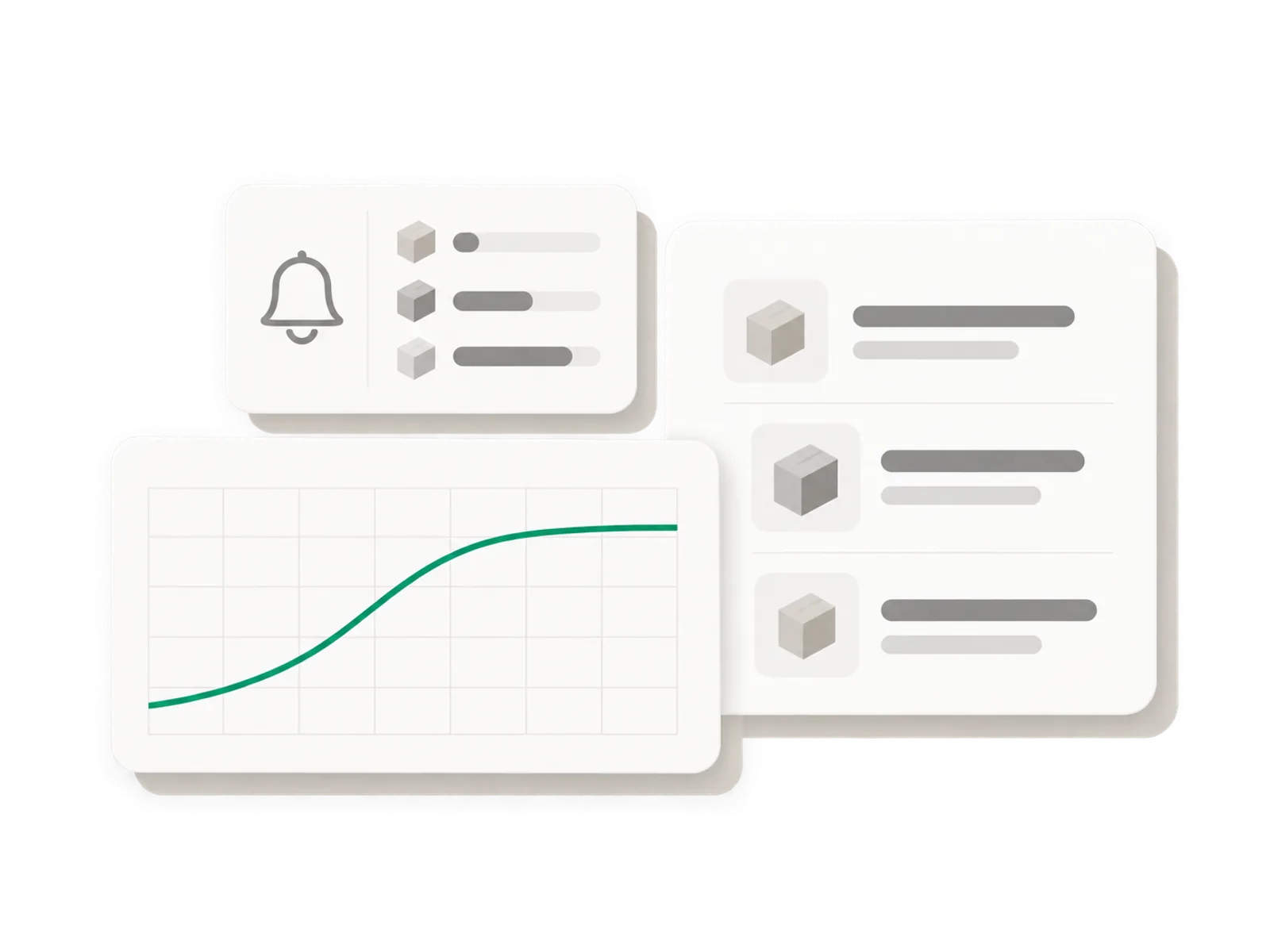
Phone camera, USB scanner, or typed by hand. Count the whole shop or one shelf, in sections, and apply the variance to Shopify in one tap.
Reorder before you run out
Low stock alerts by email and a suggested reorder quantity built from your real supplier lead times, not a generic formula.
Buy it and know what it cost
Purchase orders with receiving by scan, supplier price lists, cost change alerts, weighted average cost and a month end COGS export.
The problem
A spreadsheet was never going to keep up
Most Shopify stores start with a spreadsheet, a notebook by the till, or the product page open in twenty browser tabs. None of it holds up once the catalog grows past a shelf you can eyeball.
What a spreadsheet gives you
- A count that is out of date by the time you finish typing it in
- No link back to Shopify, so every update is a manual copy and paste
- No record of what changed, when, or who touched it
What that costs you
- Wrong counts that show a product in stock when the shelf is empty
- Stockouts on your best sellers because nobody saw the trend in time
- Overordering on slow movers because the reorder number was a guess, not a calculation
See it in action
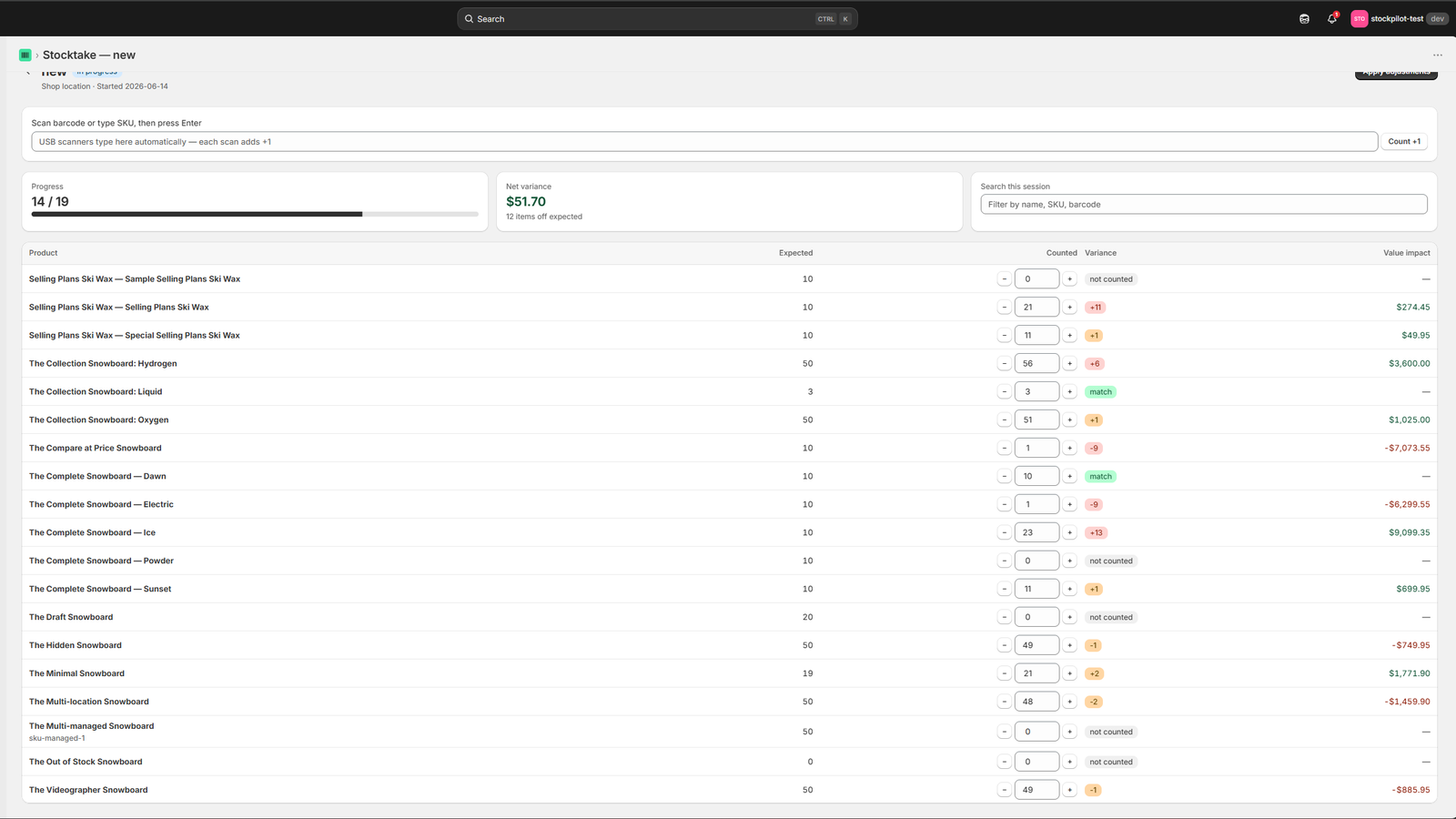
The count screen, with variance right on it
Scanned quantity, system quantity, and the difference between them, in one place.
Click to enlarge
Count results: variance in units and dollars, ready to apply to Shopify.
How it works
Counts, alerts, reorders, purchase orders and costs, in one app
Everything below runs on the phone or laptop you already have. Nothing needs a login outside Shopify.
Count the shelf
Scan with your phone camera or a USB scanner, the whole shop or one shelf, in sections you choose. The variance report shows what is off in units and dollars, then Shopify updates in one tap.
Get warned, then reorder
Low stock alerts land by email before you run out. Reorder suggestions come from your own sales history and the real lead time each supplier takes, not a generic 14-day guess.
Buy it and know what it cost
Purchase orders with receiving by scan: each scan adds one unit and writes to Shopify once. Supplier price lists, cost change alerts, weighted average cost and a month end COGS export cover the rest.
How a count works
Three steps, no separate hardware to buy
Start counting in the time it takes to open a browser tab.
Start a count
Open Binly from Shopify admin or on your phone. Pick the whole shop, one shelf, one supplier or one collection, and you are ready to scan.
Scan with your phone or a USB scanner
Each scan logs a unit and compares it to what Shopify already shows. Receiving by scan works the same way inside a purchase order: one scan, one unit, one write to Shopify.
Review, then apply
The variance report shows the difference in units and dollars, line by line. Shopify only updates once you press apply, never before.
How to choose
How to choose Shopify inventory management software: six checks
A long feature list will not tell you whether an app can handle your next awkward delivery. Run these six tests with a real shelf and a real delivery, in Binly or in any other tool on your shortlist, before you pay for anything.
| Check | What to try | In Binly |
|---|---|---|
| 1. Counting | Count a shelf that has caused trouble and see if you can review before quantities change | Phone camera or USB scanner, a variance report, and Shopify moves only when you press apply |
| 2. Receiving | Receive a delivery with one item missing | Purchase orders with partial deliveries and cost per delivery, receiving by scan |
| 3. Reorder logic | Ask what sits behind a reorder suggestion | Suggestions from your own sales and the real lead time of each supplier |
| 4. Costs at month end | Follow a changed supplier price from delivery to month end | Weighted average cost, cost change flags (Pro) and a month end COGS pack (Growth) |
| 5. Scope | Write down your locations and operations before you compare | Several locations, transfers and Shopify POS stores (every location is Pro) |
| 6. Plan, support, switching | Check plan limits and who answers an email | Free plan, paid from $12 a month, 7-day trial, and Stocky CSV import |
Binly does not do demand forecasting or open to buy planning, and we would rather say so here. If forecasting drives your decision, look at an Inventory Planner comparison, and consider broader suites such as Cin7 for multichannel operations. This is our own guide, so treat it as a starting point and test any tool against your own shelf. One more thing worth knowing: a bulk catalog read of 73,893 variants took 86 seconds when we measured it.
Pricing
Simple, honest pricing
Start free. Move up to Starter, Pro, or Growth as you need more products, locations, or purchase order and supplier tools. 7-day free trial on paid plans, no credit card required, and you can move between plans as your store grows.
Free
forever, no card
- Barcode stocktakes for stores up to 500 products
- Live variance in units and dollars
- Low stock alerts by email
- No credit card required
Starter
per month, or $120 a year
- Up to 4,000 products, primary location
- Purchase orders, suppliers and receiving
- Reorder suggestions from real supplier lead times
- Barcode and price label printing
Pro
per month, or $250 a year
- No catalog cap, all locations and transfers
- Landed cost and weighted average cost
- Cost change flags and inventory value report
- Order by dates from real supplier lead times
- Late delivery alerts
- Priority email support
Growth
per month, or $690 a year
- Supplier price lists, and where you pay above them
- Early pay savings
- Month end COGS pack and priority support
7-day free trial on paid plans. No credit card required to start. Prices in USD, billed through Shopify.
FAQ
Common questions
Does Binly work with just my phone, or do I need a scanner?
Either one. The phone camera reads barcodes on its own, and a USB or Bluetooth scanner works the same way if you already have one, so most stores start with the phone and only add a scanner later if the team asks for it.
Does anything change in my Shopify store automatically?
No. Counts, cost updates and reorder suggestions all wait for you to review them. Shopify only moves once you press apply, so a wrong scan never reaches your storefront on its own.
How does Binly know how much to reorder?
From your own sales history and the real lead time each supplier takes to deliver, plus any minimum order quantity or case size you set. No single formula gets applied to every product.
Is an inventory app worth it if I already use Google Sheets?
List the manual work your sheet creates. If you keep copying counts into Shopify or reconciling partial deliveries by hand, test an app against exactly those jobs. Keep the sheet if it does what you need. Pick an app when its workflow solves a problem you can name.
How big a catalog can Binly handle?
We measured a bulk catalog read of 73,893 variants at 86 seconds. Free covers up to 500 products and Starter up to 4,000, because most single-location shops sit well under that number. Pro and Growth have no catalog cap.
When should I look at Inventory Planner or Cin7 instead?
When advanced forecasting or a broader operations suite drives the decision. Binly is built for counts, receiving, purchasing, costs and reorder work on Shopify. We compare it with the forecasting tool in our Inventory Planner alternative page.
Is the app available in my language?
Yes. The Binly app is available in 7 languages: English, German, Spanish, French, Japanese, Portuguese (Brazil) and Italian.
Run your first count this afternoon
Install Binly, count a shelf with your phone, and see the variance in dollars before you decide anything.
Install free on ShopifyNo credit card required