In this article
Count only the SKUs that came back, not the whole store. Put returns on one shelf until someone checks them, restock what is sellable, write off what is not, and once a week scan those SKUs and fix the gaps. Ten SKUs with three units each is about 30 scans.
That routine replaces the full stocktake (or stock take, depending on where you live) that many shops run once a quarter to find out what returns did to their numbers.
This guide covers the counting side. The other half of the job, the return requests, approvals and exchanges themselves, is what Souvely: Returns and Exchanges is built for, and their guide on managing Shopify returns without losing track of inventory covers it step by step. The two fit together: a clean returns process means fewer surprises on the shelf, and a quick recount catches the ones that still happen.
Why returns are where counts drift#
A sale is clean. One item leaves, one number drops. A return is a chain of small decisions made by different people on different days, and each one can leave the record wrong.
Four things go wrong most often.
- The restock never happens. The refund goes through, the item goes back on the shelf, and nobody ticks restock. Shopify says 8, the shelf has 10.
- The restock lands in the wrong place. A customer returns an item at the shop, but the refund restocks it at the warehouse. Both locations are now off, by the same amount in opposite directions.
- A damaged item is counted as sellable. The refund restocks it automatically. The item goes in a bin. Shopify now offers a unit that does not exist.
- An exchange is two movements. One item comes back, another goes out, and only one of them was recorded.
The pattern behind all four is the same. Someone has the item in their hand, the next task is waiting, and the record gets fixed "later". Later means a monthly count, and by then nobody remembers which return was which.
If you want the general list of causes, our article on why Shopify does not match the shelf has nine. Returns are the one you can routinize.
Give returns one shelf#
Pick one bin or shelf and call it the returns shelf. Every returned item goes there first, whether it came by post or over the counter. Nothing goes straight back to the rack.
That one rule does three things. It stops a sellable-looking item from being resold before anyone checked it. It gives you a place to look when the numbers are off. And it means the unchecked units are not counted as stock, because they are not on a sellable shelf.
Keep a slip with each return, even a sticky note: the order number, the date, what is wrong with it if anything. Two lines is enough. The note is what lets you decide later without guessing.
Decide: restock, set aside or write off#
Check each item once, the day it arrives or the next working day. Then it goes one of three ways.
| Condition | What happens on the shelf | What Shopify should show |
|---|---|---|
| Sealed or unused, fully sellable | Back on the rack | One more unit, at the right location |
| Opened or worn, might be sellable | Stays on the returns shelf | No change yet |
| Damaged, used or past use | Bin, or back to supplier | No unit added, or the unit written off |
The middle row is the one that causes trouble. A unit that sits on the returns shelf for three weeks while someone thinks about it is neither in stock nor gone. Set a date. Anything still there after two weeks gets decided.
The call is quicker when you know why the customer sent it back before the parcel arrives.
For the third row, the cleanest path is to not restock the item at all. Shopify's refund screen asks whether to restock and to which location, so untick it for anything damaged. If the refund was already processed with a restock, remove the unit again and record a reason.
How to check and fix it in Shopify#
Start with the product. Open the variant, look at the inventory history, and read the last few movements. A return that was restocked shows as a plus. A return that was not shows as nothing at all, which is the harder one to spot.
Then compare with the shelf, location by location. Shopify keeps a separate number per location, so a SKU can be right in total and wrong in both places. Our article on recount rules has a way to decide which gaps are worth a second look and which to adjust and move on.
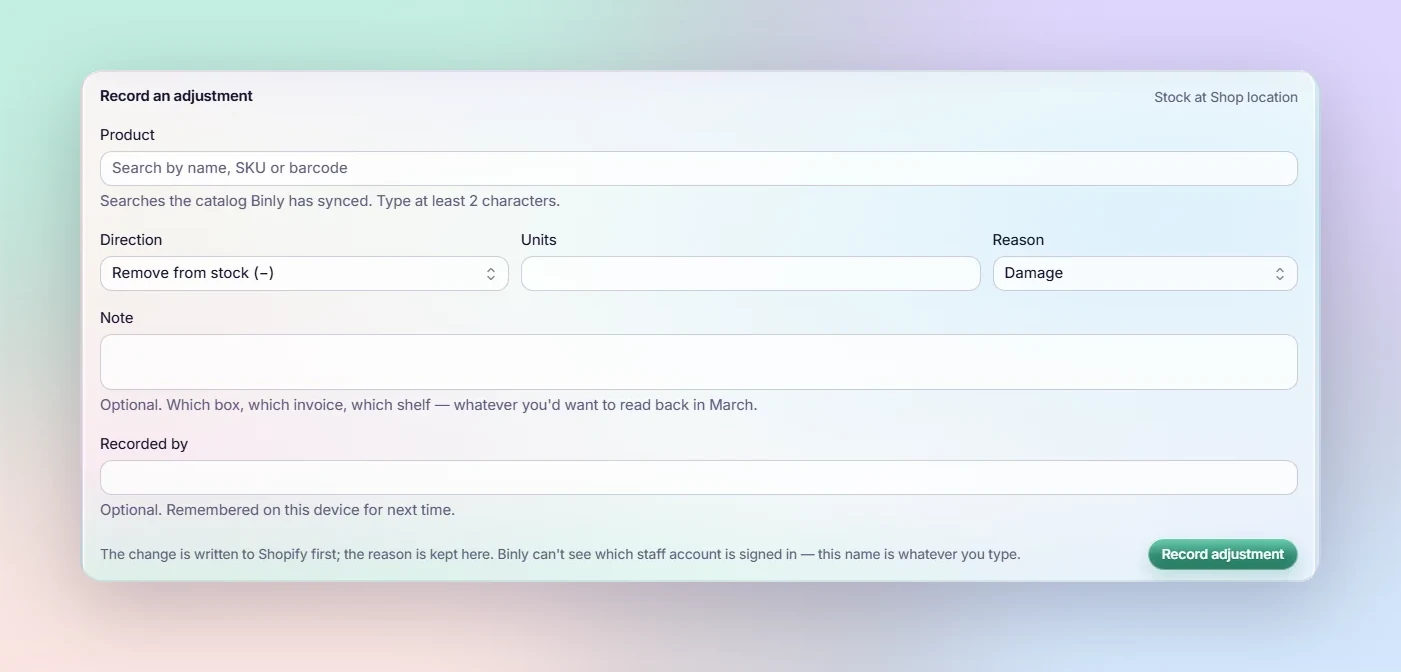
When you know a unit was lost or damaged, record it as an adjustment with a reason. A reason is what you will be glad of in three months, when the same product keeps coming back broken and someone asks why the number moved. Write a short note with it: order number, what was wrong.
The weekly recount of only the returned SKUs#
Once a week, take the slips from the returns shelf and list the SKUs on them. Those SKUs, and only those, get counted. In a shop with many returns, do it daily.
Count every unit of that SKU at that location, not only the returned one. The sellable shelf, the back room, an open box. A count sets the number to what you found, so a count of the returned unit alone would erase the rest of the stock.
Here is what one week can look like. Say a store has a shop and a warehouse, and four SKUs came back.
| SKU | Location | Shopify | Counted | Gap |
|---|---|---|---|---|
| Tee M | Shop | 8 | 10 | +2 |
| Mug | Shop | 12 | 12 | 0 |
| Candle | Shop | 6 | 5 | -1 |
| Hoodie L | Warehouse | 4 | 3 | -1 |
| Hoodie L | Shop | 2 | 3 | +1 |
The causes are the four from earlier. Two returned tees went on the shelf and the refund skipped the restock. The mug was fine. One returned candle arrived cracked, was restocked automatically, and went in the bin. One hoodie was returned at the shop, but the refund restocked it at the warehouse.
Net result:
+2 + 0 - 1 - 1 + 1 = +1Plus one unit across the five lines. That is why the total hides the problem: four lines are wrong, and the sum says the store is nearly right. Always read the gap per line and per location, and the net last.
Now the fixes. Tee: counted 10, apply. Candle: counted 5, apply, and put a line in the count's note about the cracked unit. Hoodie: apply both locations, then fix the routine so the refund uses the shop location next time.
Where a scan-based quick count fits#
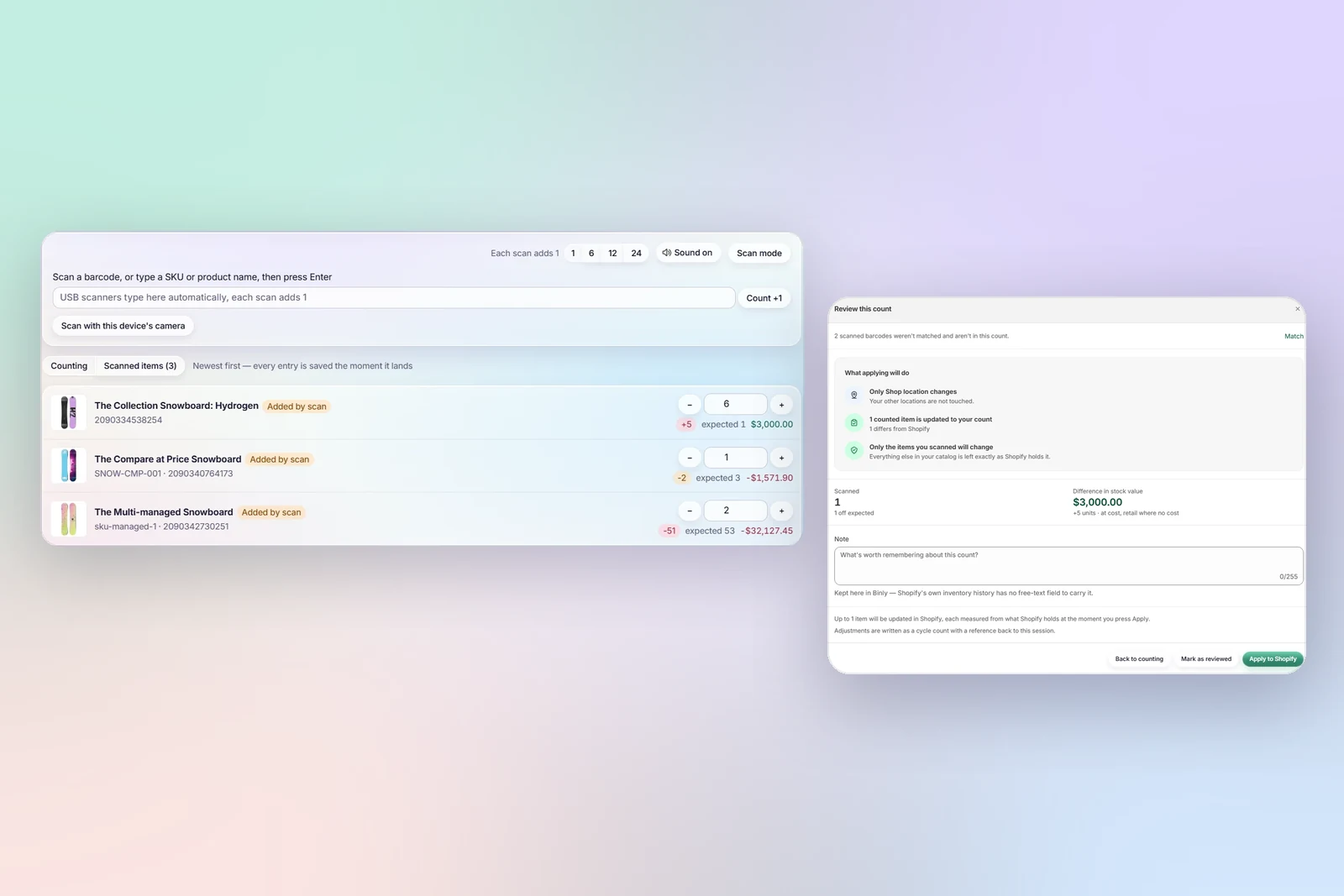
Typing each SKU into a spreadsheet and walking back and forth is what makes people skip the recount. Scanning removes most of that. You walk the returns slips and the shelves, point a phone at each barcode (or use a USB scanner), and the count goes up by one per scan. The differences show up before anything is written to Shopify, and you apply when they look right.
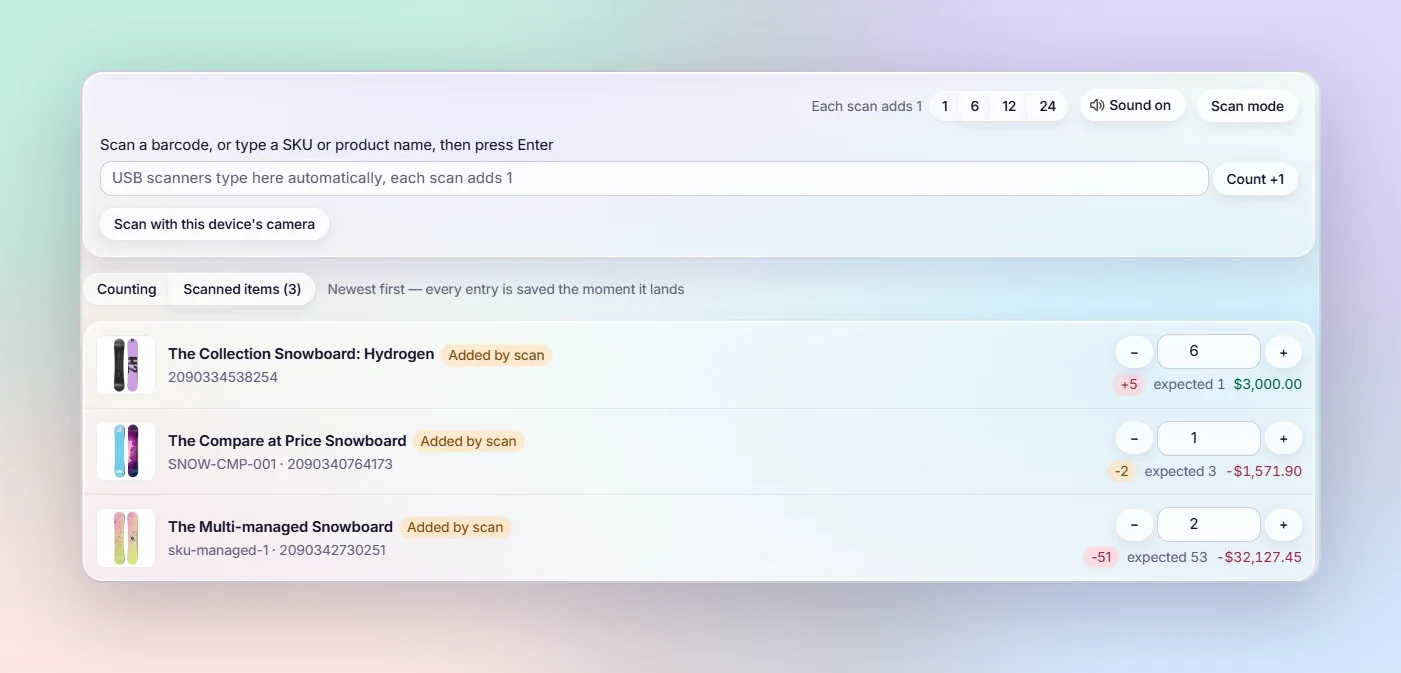
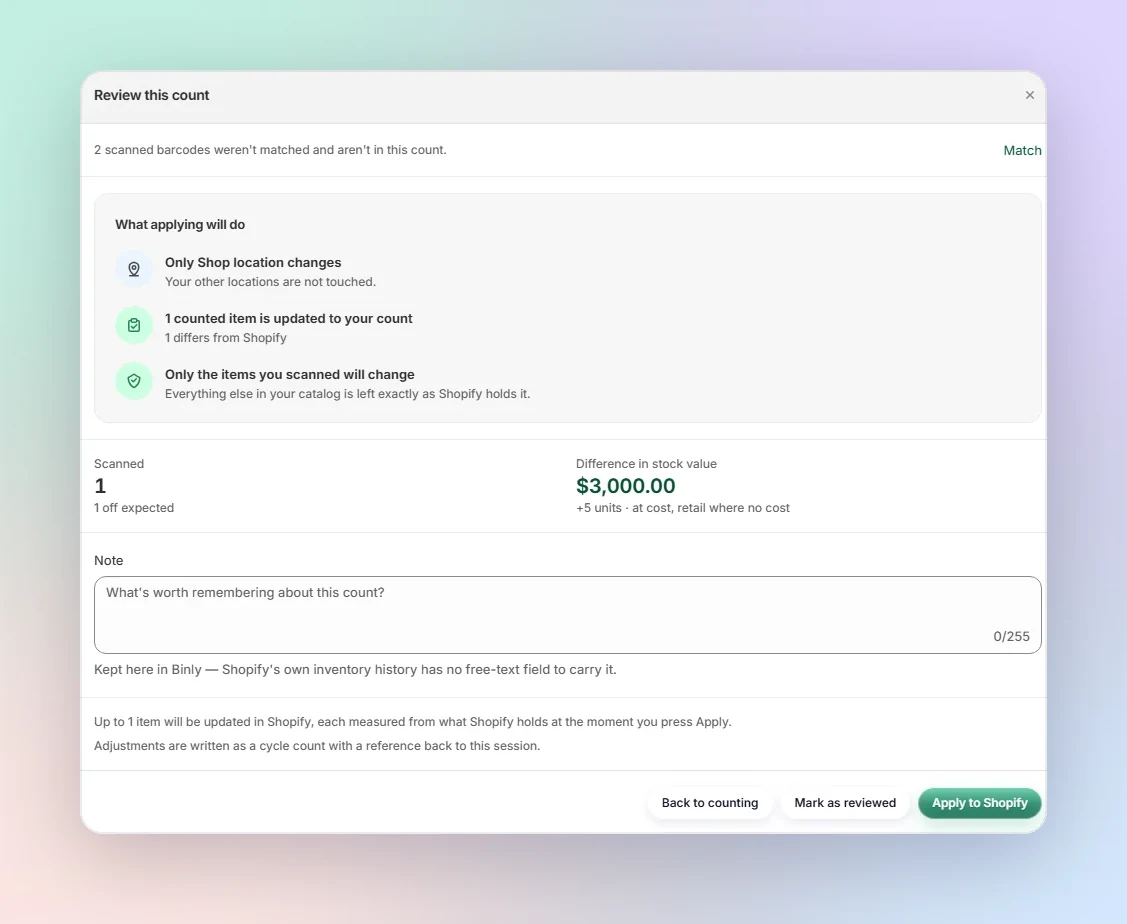
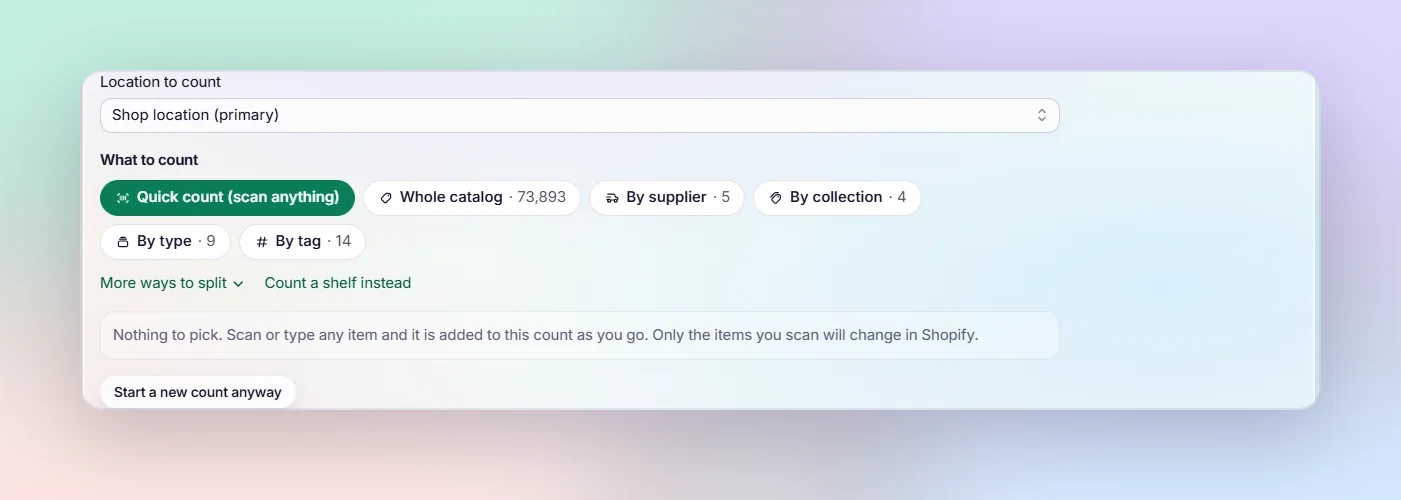
A quick count suits this job because it starts empty and only holds what you scan. You are not setting up a scope of 4,000 products to check six of them. If your products have no barcodes yet, set up SKUs and barcodes first, because that is the part that decides how fast a count goes.
We cover the equipment side on our page about a barcode scanner app for Shopify, and the general steps in our stocktake guide.
Personalized items are a special case#
A mug with a name on it, a print from a customer's photo, a cut-to-size piece. When one of these comes back, it usually cannot be resold, because it was made for one person.
So the restock question has a different answer. Do not restock it. If the refund was already processed with a restock, remove the unit again. Either write it off with a reason, or set it aside if you can reuse the blank, the material or the packaging.
If personalized products are a large part of your catalog, you will see this often. Decide the return rule once and write it on the returns shelf: personalized means set aside, not restock.
The mistake to avoid is the automatic one. A refund with restock ticked turns a one-off item into a unit of stock, and Shopify will happily sell it to the next customer.
Where this routine falls short#
A weekly recount catches drift. It does not tell you why a customer returned something, and it does not read Shopify's return records for you, so the list of SKUs comes from your slips. If the slips are not kept, the routine does not work.
It also assumes a shelf you can trust. A store that returns to a single room with six staff and no returns shelf will see gaps that are hard to trace, and a recount will only fix the numbers, not the habit.
For stores with few returns, a weekly count is more work than the gaps are worth. Check the returned SKUs when you do your regular cycle count and leave it there.
This week#
Pick a shelf and label it Returns. Put a pen next to it. On the first Friday, take the slips, scan the SKUs on them, apply the counts, and write down which of the four causes you found. After three weeks, you will know which one is yours.
If your returns already come in through a portal like Souvely: Returns and Exchanges, most of the sorting happens before the parcel arrives. The weekly scan is then the safety net for whatever still slipped through.
Frequently asked questions#
Do I need to recount stock after every return?
No. Check each return when it arrives, then recount only the SKUs that came back, once a week (or daily in a busy shop). Counting the whole store for returns is the slow way to find a handful of wrong numbers.
Should I restock a returned item in Shopify?
Restock it only if it is sellable and you put it on the shelf. If it is damaged, opened or unsellable, do not restock it, or restock and then write it off with a reason such as Damage. The number in Shopify should match what a customer could buy today.
How do I fix a return that was restocked to the wrong location?
Count the SKU at both locations. The count at each location shows its own gap, and applying it moves each number to what is physically there. Then change the refund routine so the restock location matches where returns are received.
What do I do with returned personalized items?
A name, a photo or a custom print usually makes the item unsellable to anyone else. Set it aside or write it off, and keep it out of available stock. Restocking it makes Shopify promise a unit that nobody can buy.