stock count app

A stock count app for the items that never seem to match

You check the same shelf twice because the inventory number still looks wrong. Binly helps you count physical stock with a phone camera or USB barcode scanner, review the variance report and apply the result to Shopify when it is ready.

Free plan available. 7-day free trial on paid plans, no card required.

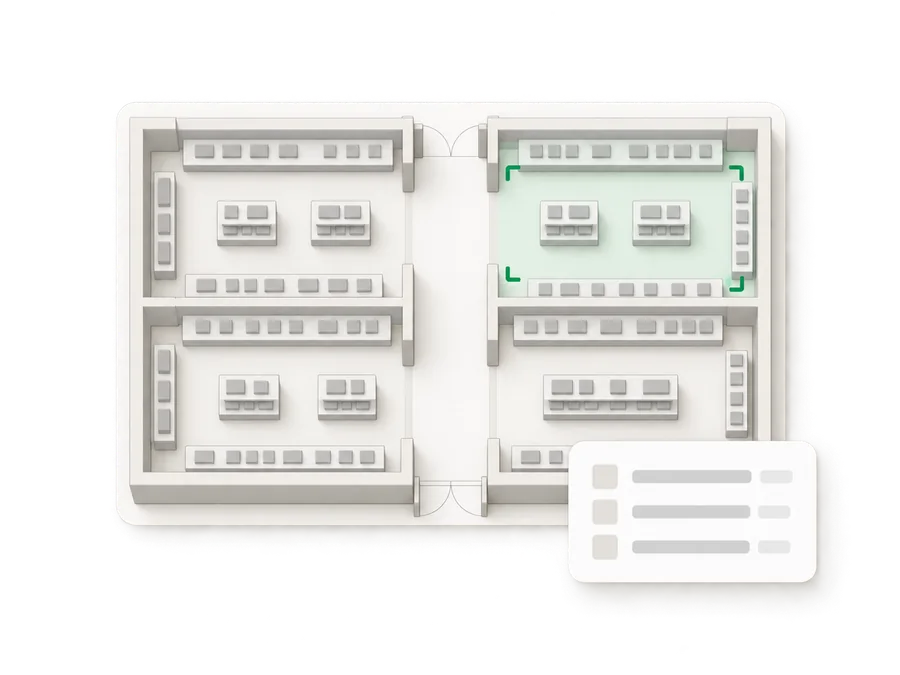
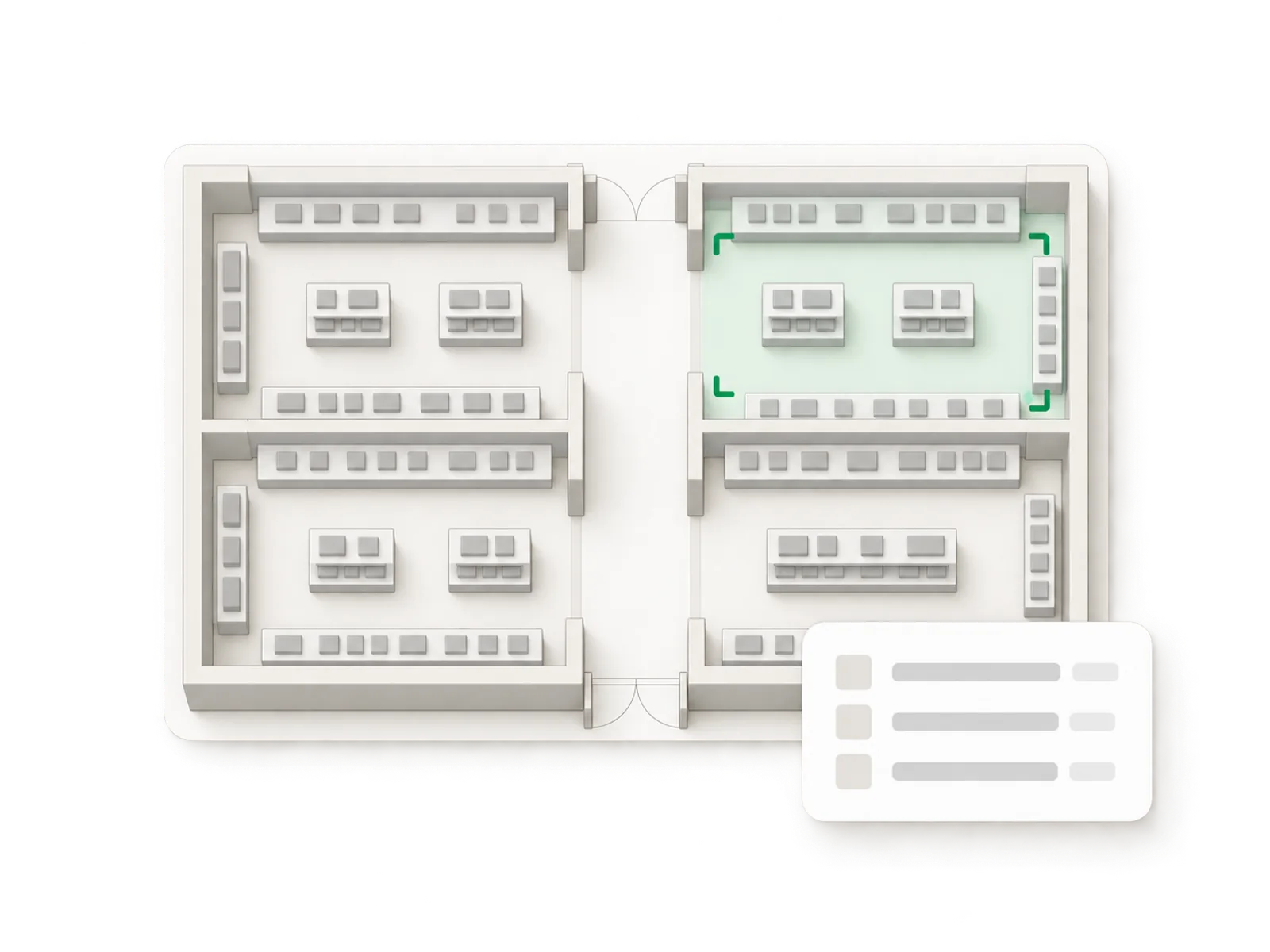
Illustration of a top-down shop floor plan with one section tinted green to show it is currently being counted
Live ยท variance review
21,000

variants synced in under a minute

100,000+

lines counted in a single stocktake

7

days of Pro, free on install

How it works

Built around the shelf you are looking at

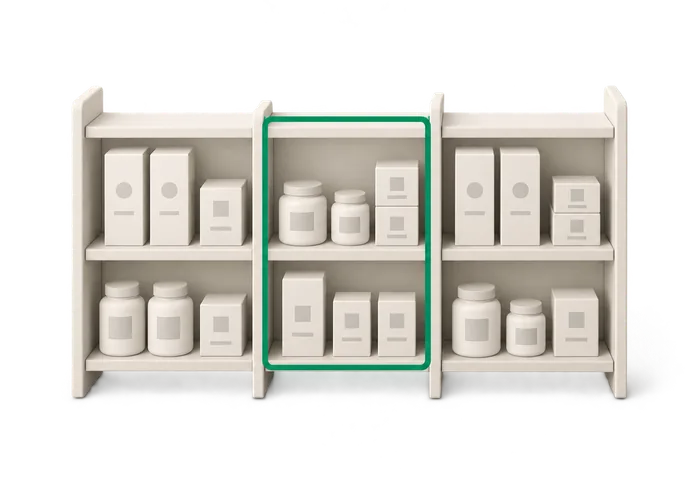
Illustration of a shop shelf split into a counted section and an uncounted section

Give cycle counts a job you can finish

An inventory count app is useful when it helps you settle a specific question. Picture a pet supply store where the small dog harnesses keep appearing in the wrong size bins. Instead of waiting for a full inventory count, check that section and find out what is actually there. Binly lets you count one shelf, a section or the entire store.

  • You choose the scope of each count.
  • That preparation matters as much as the scanning.
  • A small count also gives you a focused variance report to review.
Read more

As a cycle count app, it gives you a way to work through manageable areas over time. You choose the scope of each count. Start with the shelves that produce the most uncertainty. Before counting the harnesses, gather the loose ones from the fitting area and agree which bins belong in the job. That preparation matters as much as the scanning. A small count also gives you a focused variance report to review. You can look at a mismatch while the relevant products are nearby, rather than trying to remember where they were at the end of a long evening.
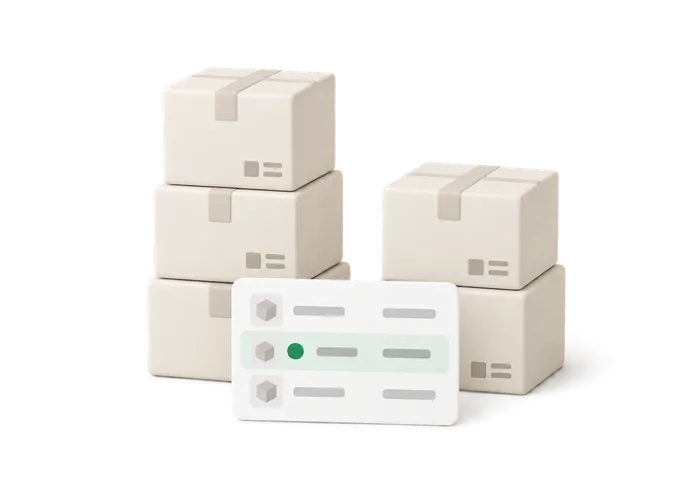
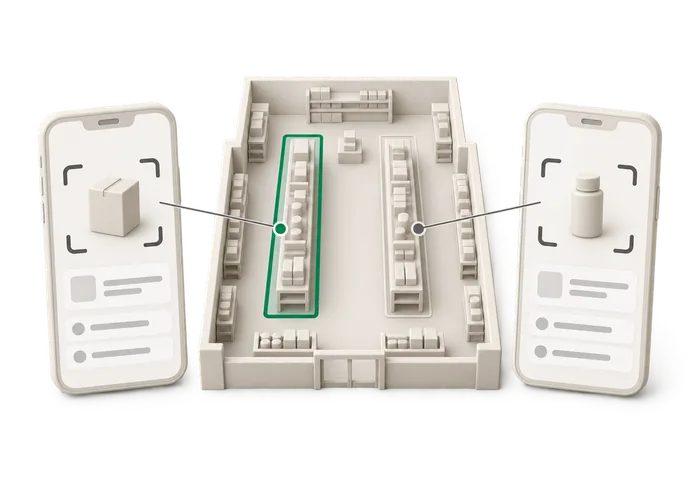
Illustration of a variance report card with one flagged row before it is applied

Run a shelf count from scan to Shopify

Imagine an art supply store checking its paint rack. Similar tubes sit next to each other, and extra stock lives in a drawer below. Include both places in the count so the result represents the section you intended to check. Here is the sequence in Binly: Choose the shelf, section or whole store for the count. Count with a phone camera or USB barcode scanner.

  • Review the variance report before Shopify quantities change.
  • Apply the count to Shopify with one tap.
  • That is the working order: count, review, apply.
Read more

Review the variance report before Shopify quantities change. Check unexpected differences against the physical stock. Apply the count to Shopify with one tap. If a paint color looks short, open the drawer again. If it looks high, check whether you included something twice. The review gives you a point to stop and investigate instead of accepting a number just because scanning is finished. That is the working order: count, review, apply. The stock counting app records what you count and shows the differences before you commit the result.

Illustration of three people each counting a different part of a shop floor

Count together without losing track of the boundaries

Several people can count at once in Binly. In a sporting goods store, one person might handle the running accessories while another checks the ball display. A third can work through stock in the back room. Before starting, decide who owns any shared areas. A cart of water bottles sitting between the stockroom and sales floor can easily end up in two people's counts.

  • Binly supports a phone camera and a USB barcode scanner for counting.
  • The app has production counts of more than 100,000 lines.
  • That is evidence that large counts run in practice.
Read more

Assign it to one person and keep that decision clear. Binly supports a phone camera and a USB barcode scanner for counting. Someone walking the aisles can use a phone, while a person at a fixed station can use a USB scanner. Choose according to how the products are being handled. The app has production counts of more than 100,000 lines. That is evidence that large counts run in practice, but it does not remove the need for a sensible counting plan. Good boundaries and a careful variance review still do useful work at any size.

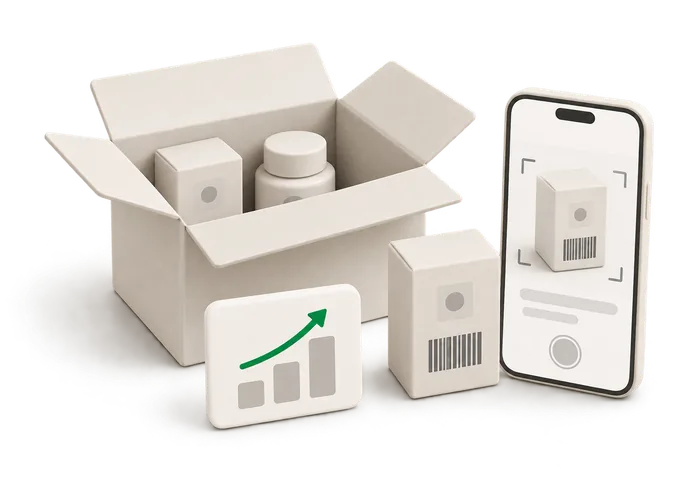
Illustration of an open delivery box being scanned unit by unit

Use inventory reports to choose the next shelf

Counting everything equally often may not be the best use of a small team's time. Consider a toy store with fast moving card games near the register and a shelf of puzzles that rarely needs restocking. Both need accurate quantities, but the questions around them are different. Binly includes ABC analysis, best sellers and a dead stock report. Use those reports when deciding where to look next.

  • A popular card game may deserve a physical check before you reorder.
  • Low stock emails and reorder points help flag replenishment needs.
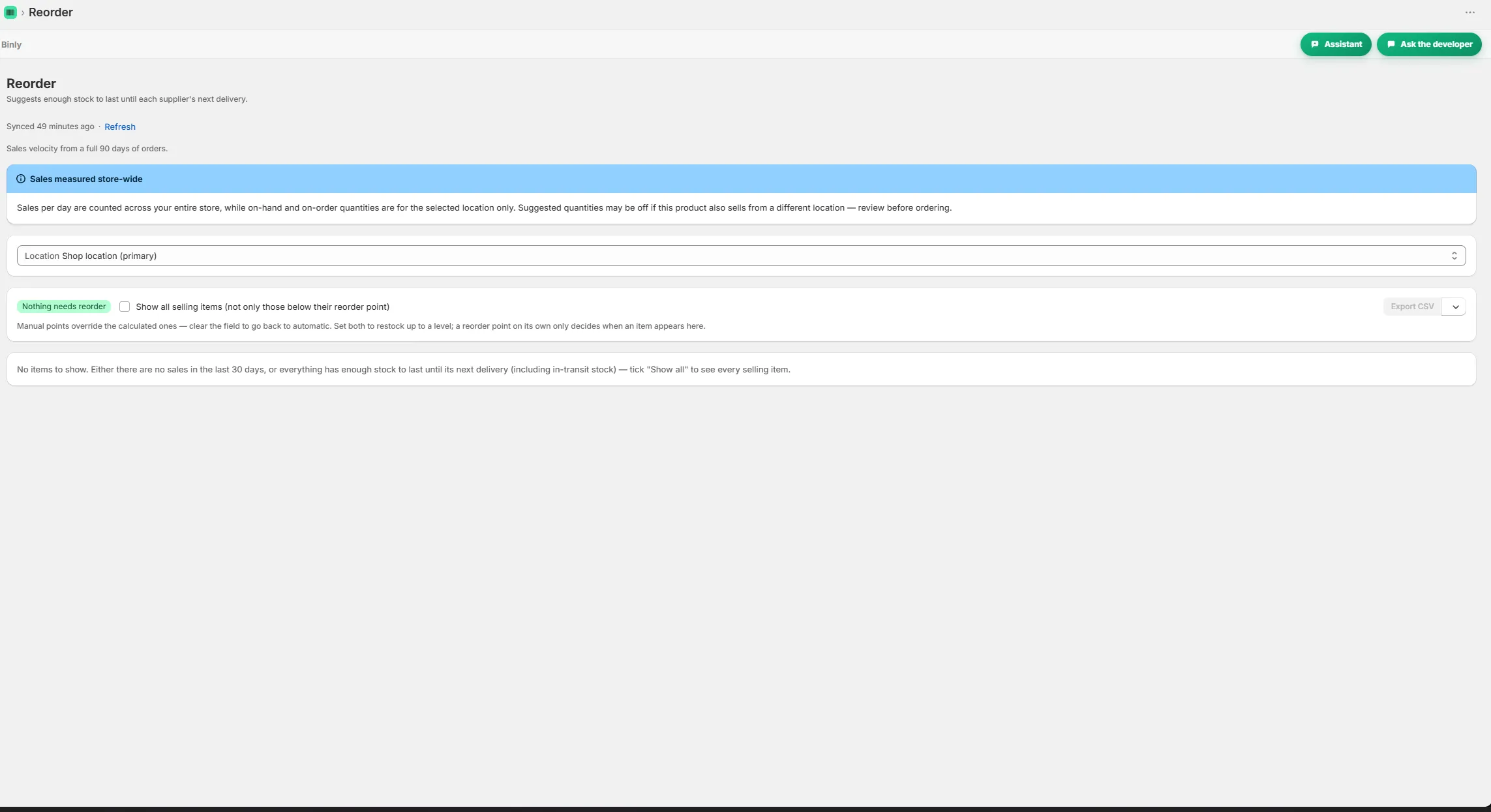
  • Reorder suggestions use real supplier lead times from past deliveries.
Read more

A popular card game may deserve a physical check before you reorder. A slow puzzle range may need a review of what is still sitting on the shelf. Low stock emails and reorder points help flag replenishment needs. Reorder suggestions use real supplier lead times from past deliveries, so receiving history also matters to the next buying decision. Keep the distinction clear: reports help you decide what to inspect, and a physical count checks what is actually there. Neither requires you to turn every shelf check into a complete store count.

Start to finish

From install to your next reorder

Choose

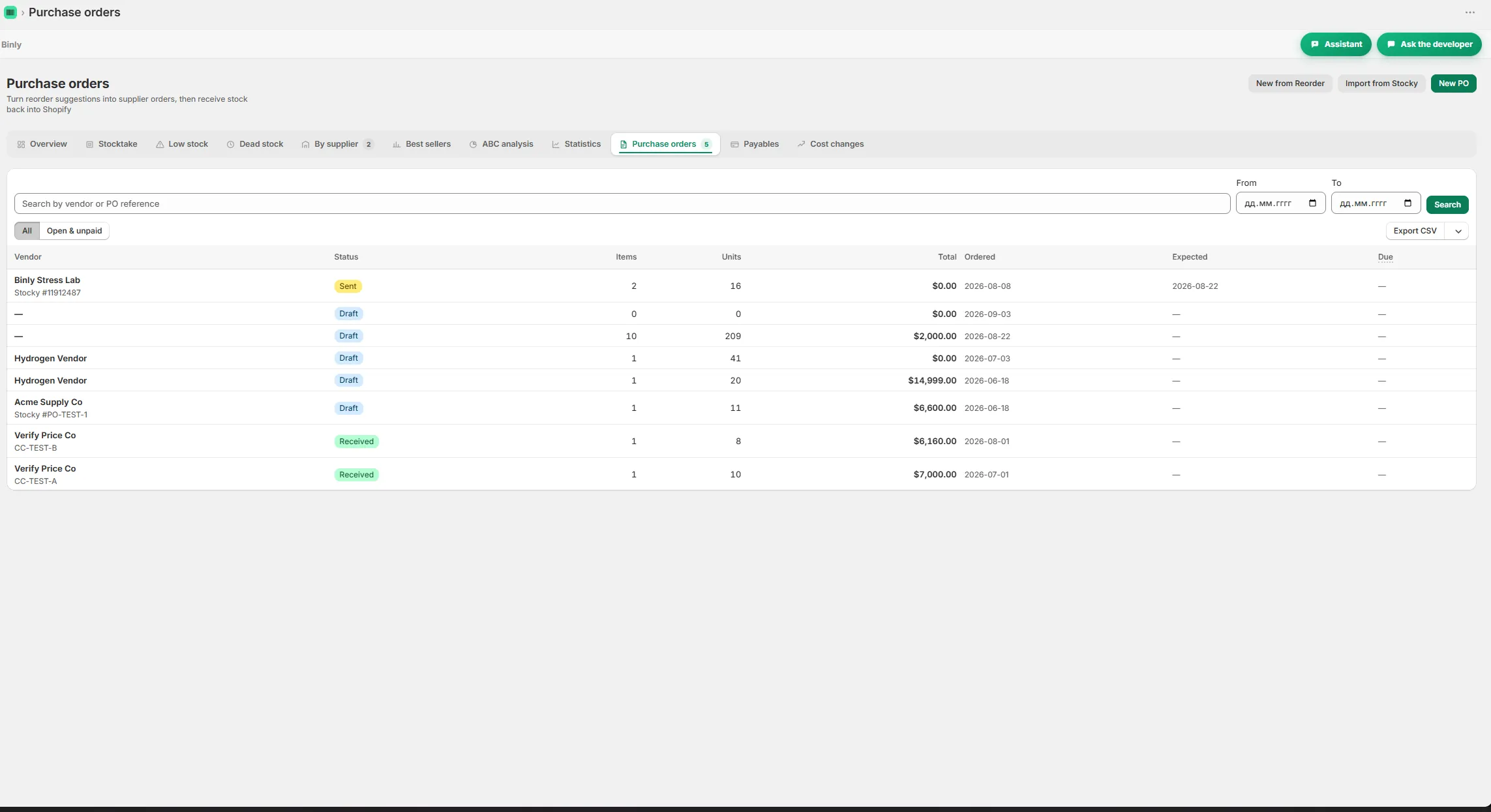
Choose the shelf, section or whole store for the count.

Count

Count with a phone camera or USB barcode scanner.

Review

Review the variance report before Shopify quantities change.

Apply

Apply the count to Shopify with one tap.

Inside Binly

See the screen behind the workflow

Click a tab to see that screen inside Binly.

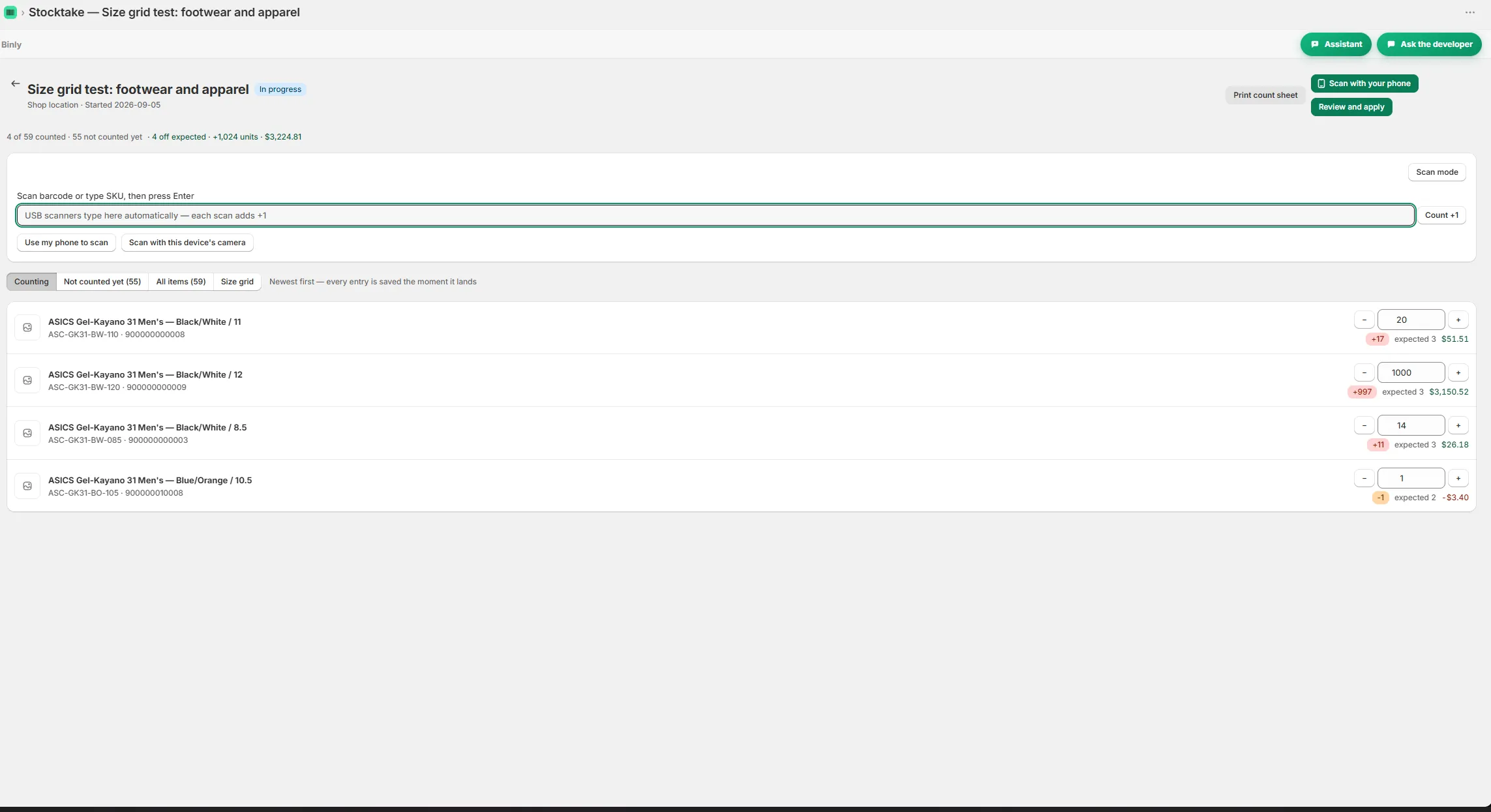
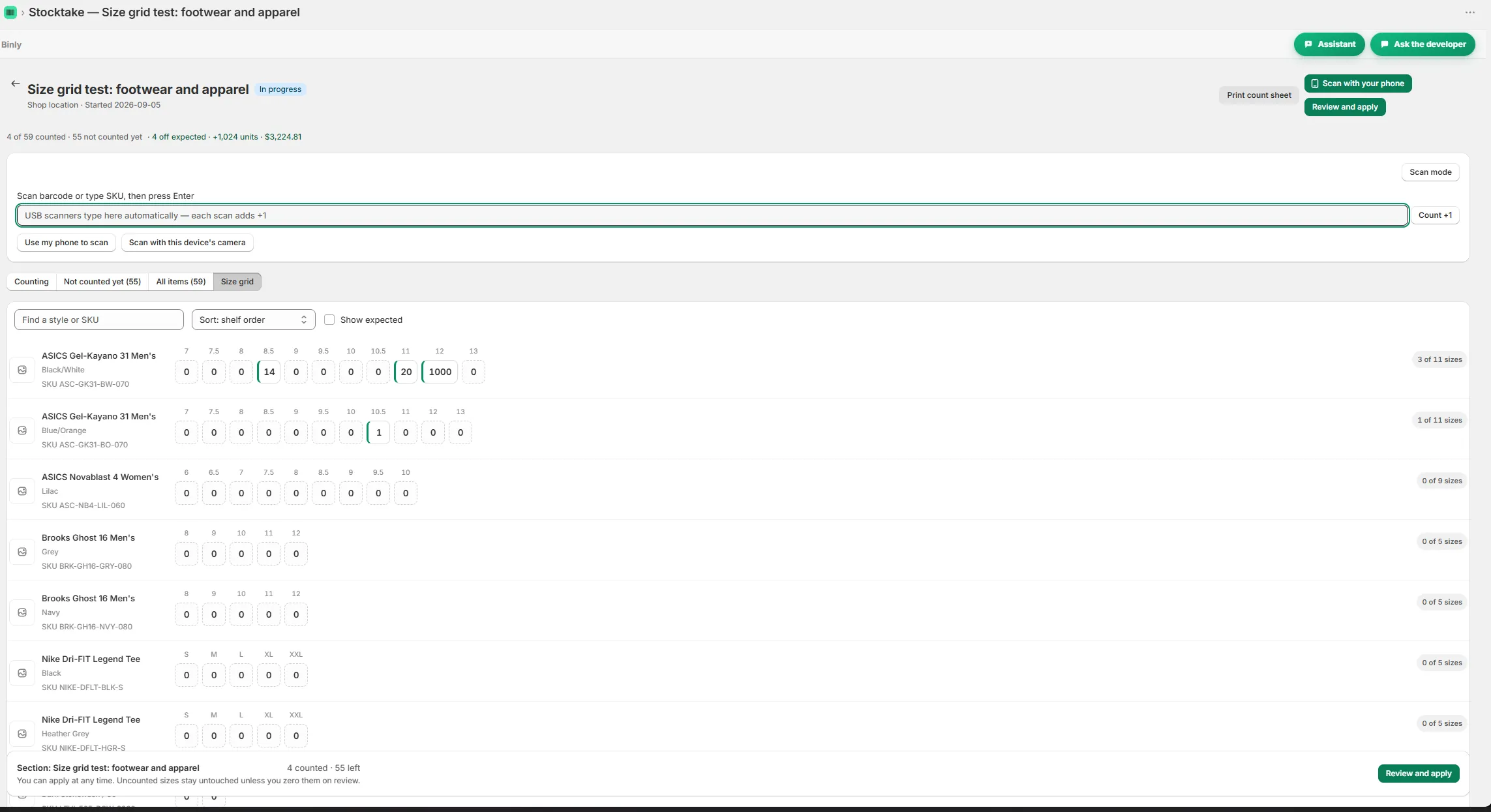
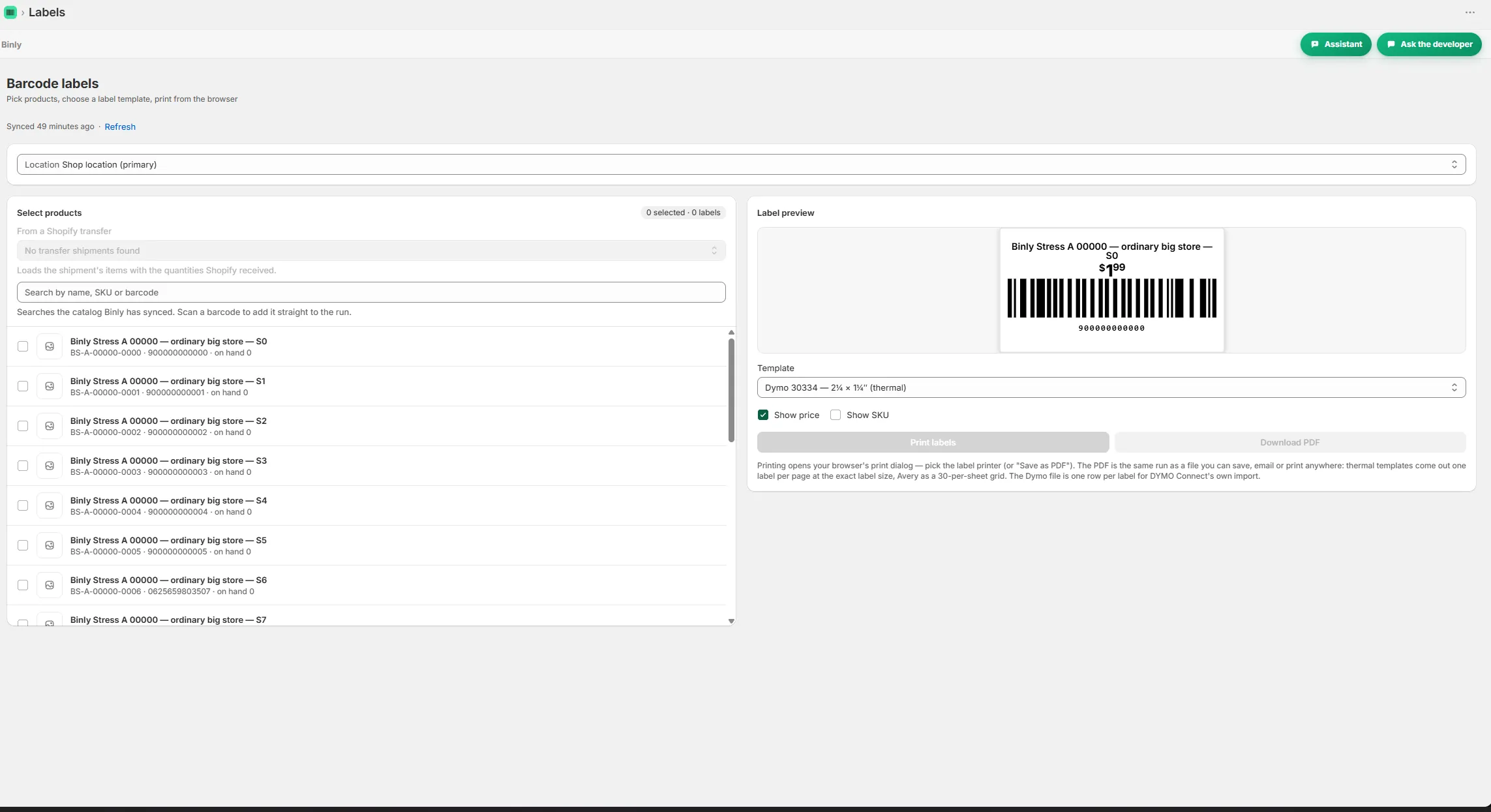
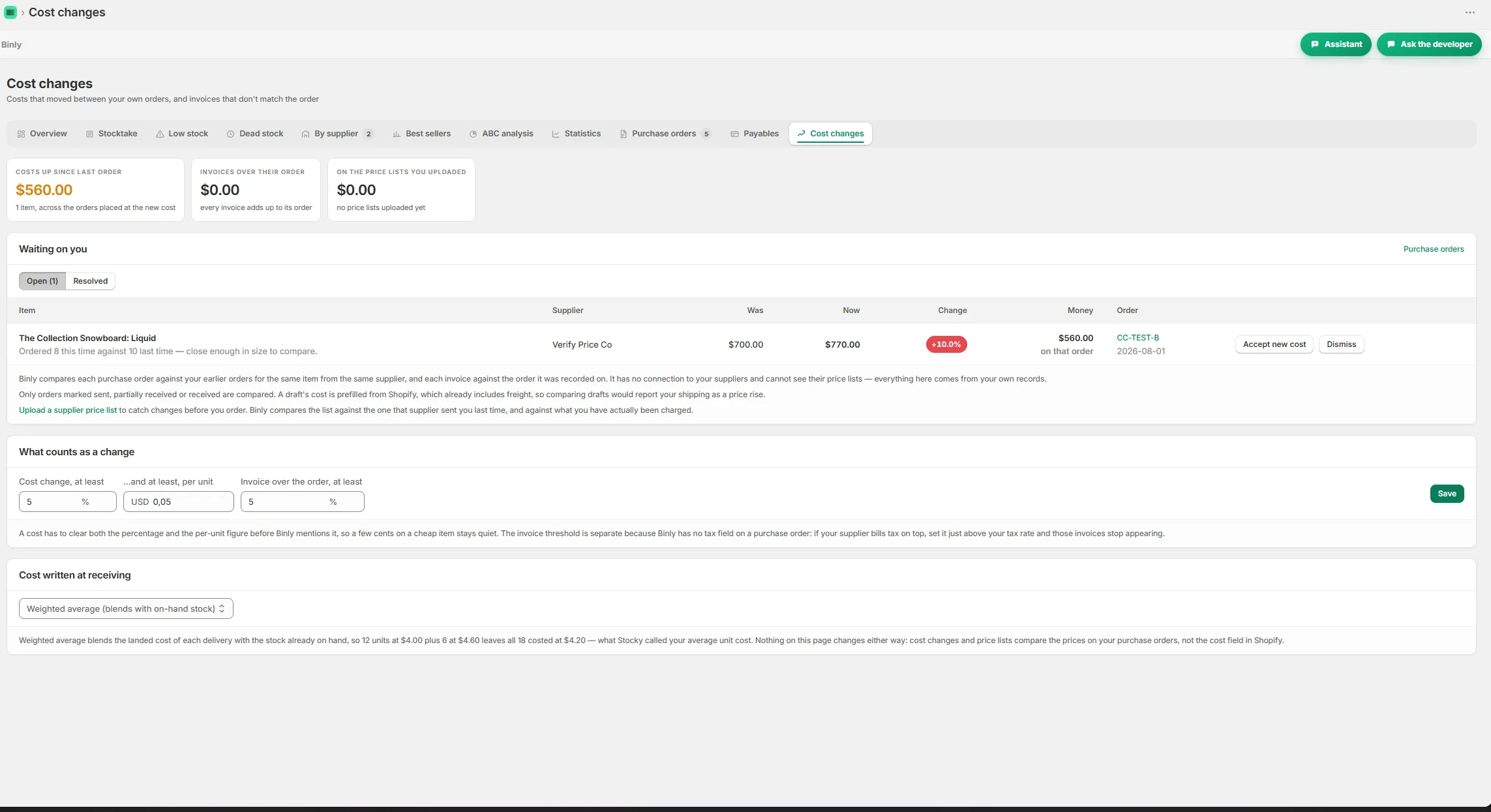
Counting a shelf with live variance while scanning Size grid view for counting variants by size Reorder suggestions grouped by supplier with lead times A purchase order with receiving and a partial delivery Barcode and price labels ready to print A cost change alert comparing supplier prices

Pricing

Simple, honest pricing

Binly offers Free for small shops, Starter at $19/month or $190/year, Pro at $39/month or $390/year, and Growth at $99/month or $990/year. You get a 7 day Pro trial on install. For a small store starting cycle counts, check Free first and consider Starter if a paid plan is needed. Match feature access to your counting routine before choosing. Cancel any time, with no contracts.

Starter

Everything a single location store needs.

$19/mo

or $190/yr

  • Up to 500 products, one location
  • Unlimited stocktakes with barcode scanning
  • Purchase orders, suppliers and receiving
  • Barcode and price label printing
Start 7-day free trial

Pro

For larger or multi location stores.

$39/mo

or $390/yr

Everything in Starter, plus

  • No catalog cap, every product you have
  • All your locations plus stock transfers
  • Landed cost and weighted average cost
  • Inventory value report (CSV)
Start 7-day free trial

Growth

For stores that live by their purchase orders.

$99/mo

or $990/yr

Everything in Pro, plus

  • Supplier price lists and cost change alerts
  • Order by dates from real supplier lead times
  • Month end COGS pack
  • Done for you Stocky migration
Start 7-day free trial

Prices in USD, billed through Shopify. Change or cancel any time, no contracts.

FAQ

Questions people ask before they install

Is Binly better than Google Sheets for stock counts?

It depends on the job. Google Sheets can hold a list and your notes. Binly adds phone or USB barcode counting, a variance report before changes and a one tap update to Shopify. If copying finished counts into Shopify is the part you want to remove, that is a concrete reason to try it.

Can I use this with my Shopify POS store?

Yes. Binly works with Shopify POS stores and supports multiple locations. You can count a physical section, review the differences and apply the result to Shopify. Start with an area your team can clearly define, such as the accessory wall, before planning a count that covers the entire store.

Is a phone camera enough, or do I need a USB scanner?

A phone camera is supported, so a USB scanner is not required for stock counting. Both methods are available in Binly. Use a phone when walking between shelves feels natural. Consider a USB barcode scanner for a fixed counting station, and test the method with products you handle every day.

Can more than one employee count inventory at once?

Yes, several people can count at once. Give each person a clear area and decide who handles stock between sections, such as products waiting on a cart. After counting, review the variances before applying the result. Binly supports the shared work, while your team still needs to agree what each person is counting.

Will scanning immediately overwrite my Shopify inventory?

No. For stock counts, Binly shows a variance report before anything changes. Review the differences and check any result that looks wrong. When the count is ready, one tap applies it to Shopify. Receiving is a separate workflow for adding incoming units, so choose the task that matches what you are doing.

Try it on a real shelf today

Try a focused count on the shelf your team keeps checking.

Install free on Shopify Free to start · Starter $19/mo · Pro $39/mo · Growth $99/mo · Cancel any time
Illustration of a top-down shop floor plan with one section tinted green to show it is currently being counted